
Make the Most of Pitch1
There are loads of team management platforms out there, so why should you use Pitch1 over any of the competition?
We have several features that nobody else does. Pitch1 is the soccer team management app you should use if:
- You love stats! If you like Opta statistics and think XG is actually pretty interesting, you'll love Pitch1.
-
You record videos of your games. We have unparalleled video integration for both the coaching side and the player / parent side.
- You want something fun for your players / parents, not just a standard team management platform.
- You want free football training drills, training session plans and ideas!
Those are just a few of our exclusive features... Scroll through this run through of "why should I log player minutes?" and see some of the powerful stats you'll have at your fingertips if you choose Pitch1 as your football team mangement app.
1. Set Up Your Team
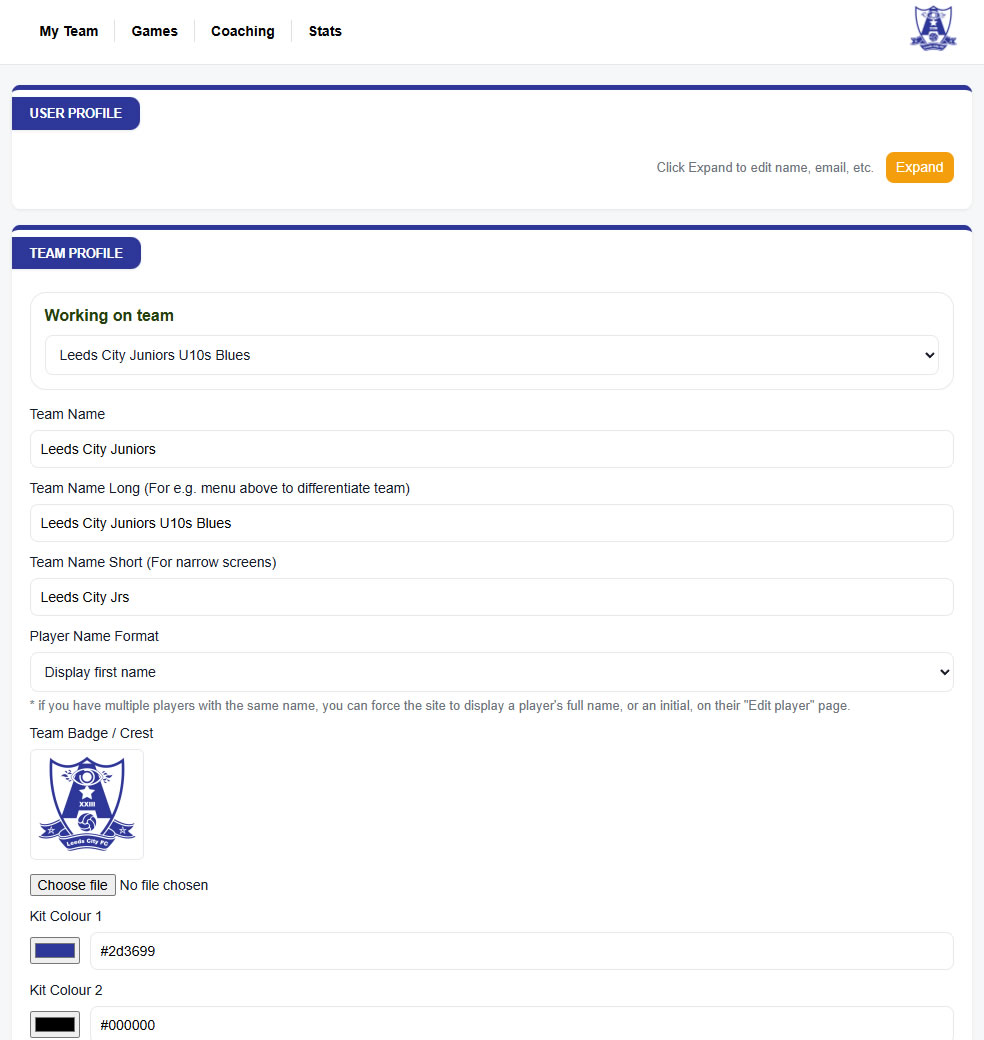
Start by adding you team's details. If you upload your team logo and colours, we'll style both the coaches and players pages in those colours. Then work through the checklist to add players, leagues, opponents etc.
2. Matches... Logging and Analysing Your Team's Stats!
Now, if you're going to use Pitch1, you might as well use all the features! Let's do a "why bother" first, by looking at stats and asking the question "who's your "best" right winger?"
If all you store is goals and assists, this is all you'd get on Pitch1 or any other app;
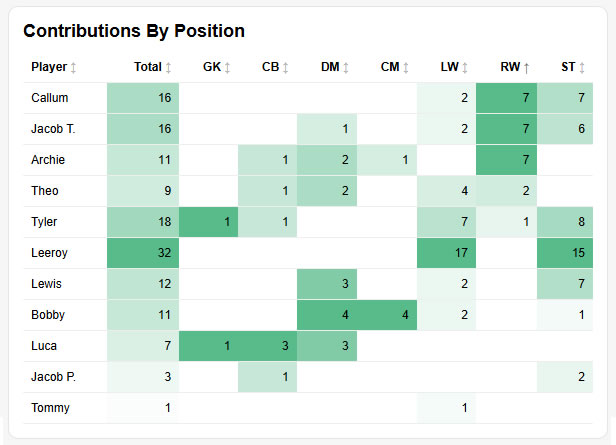
(data from our demo team, which you can log into via the team admin login page).
Callum, Jacob T and Archie. All neck and neck... The thing is, they haven't all played the same minutes as right winger... If you log player minutes, using our simple lineup planner or the matchday live console, you'll get sooooo much more, including this;
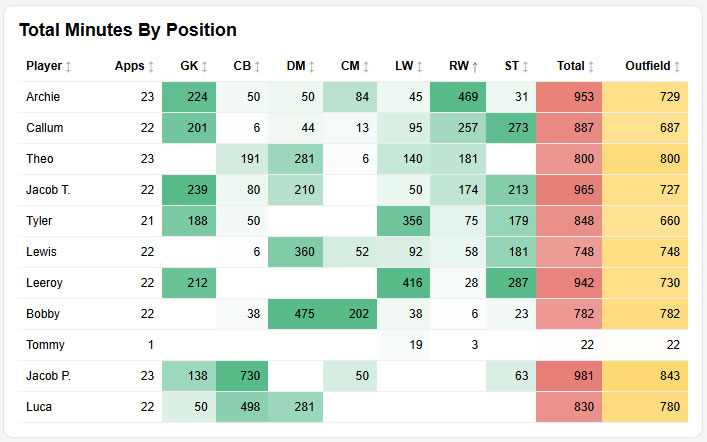
And this;
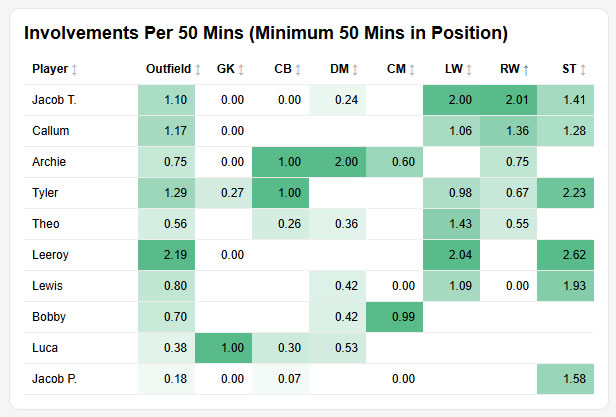
Now the picture starts to emerge... Maybe Jacob T should be playing on the right wing more?! Orrrrrrrr... is there more to it? Let's jump to the goal difference widgets.
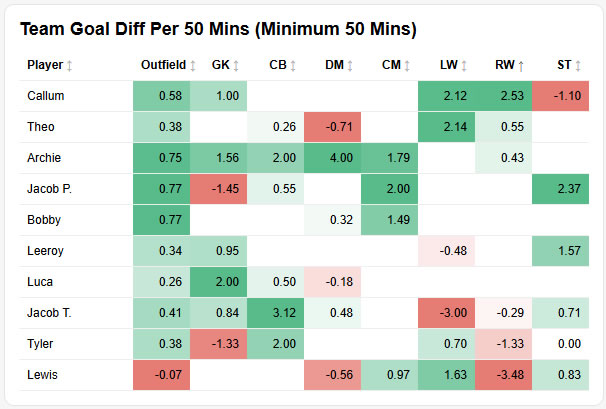
Oh... Our goal difference with Jacob T on the wing is terrible!? How come? So, he contributes 2 goal involvements per match, which is the best in the team, but we're losing matches when he's on the pitch in that position? Because...
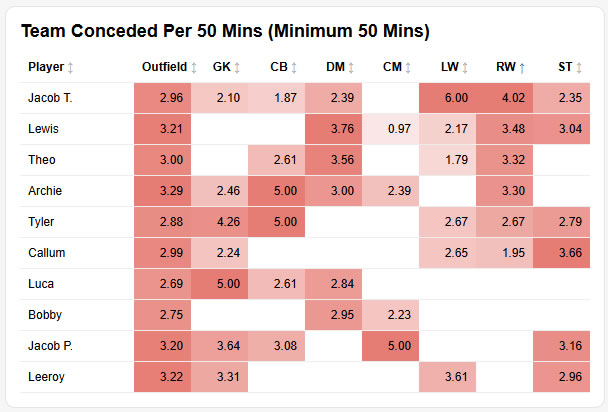
Ah... There's yer problem! When Jacob T is on the wing, we're conceding over 4 goals per match and all of a sudden Callum is looking our "best" right winger by a distance, because he's a lot better at doing the defensive work too!
Now you've got a coaching point to work on with Jacob T about doing both sides of the game.
All these stats are filterable by competition, surface, home vs away, quality of opposition and more... With those filters you can see, e.g. if a player is much better against tough opposition in a certain position, or where a player might need a bit of help.
As a coach of an U11s team myself, I love these stats because it lets you spot things that you don't see live. Then, when patterns emerge in the stats, you can watch the games with that information in mind, see if the eye test backs up the data and if it does, great! You've got something to work on in training!
It's not just about individuals... Maybe the whole team's slow at starting games away from home, so you might consider moving the meet time to 10 minutes earlier, so they have more time to warm up.
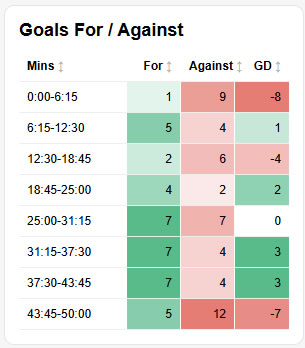
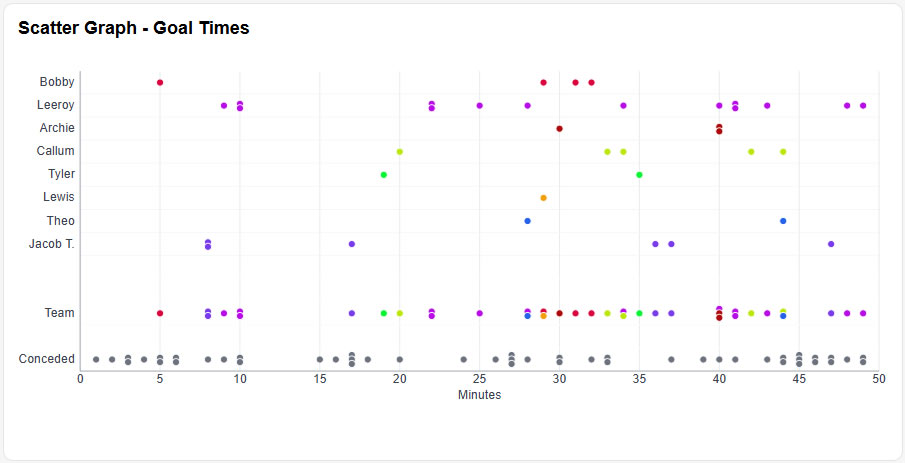
There are 45+ widgets at the moment. If you have an idea for a new one, email us and let us know!
3. How To...
So, how do we log minutes?
It's easy, whether you want to plan the lineups, or do it on the fly.
On the fly first. On matchday, you'll get a box appear showing today's game, with a link to the matchday live console.
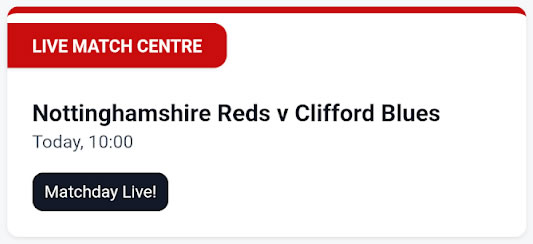
Click on that and if you haven't done a preset lineup in the planner, click the formation you want to use and then add in your starting lineup by clicking on the positions, in the lineup section.
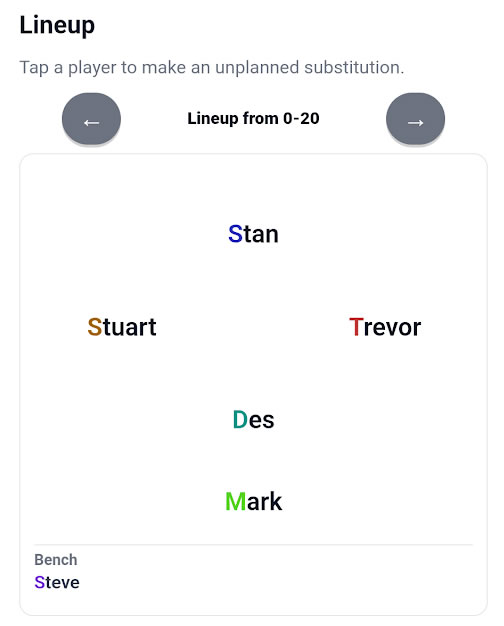
Once you start the match, click on a player to make a substitution. Click the relevant buttons to log goals and assists and that's literally it!
If you don't want to do this yourself on the sideline, you can allocate permissions to another coach or parent, via the coaches page, so someone else can do it for you.
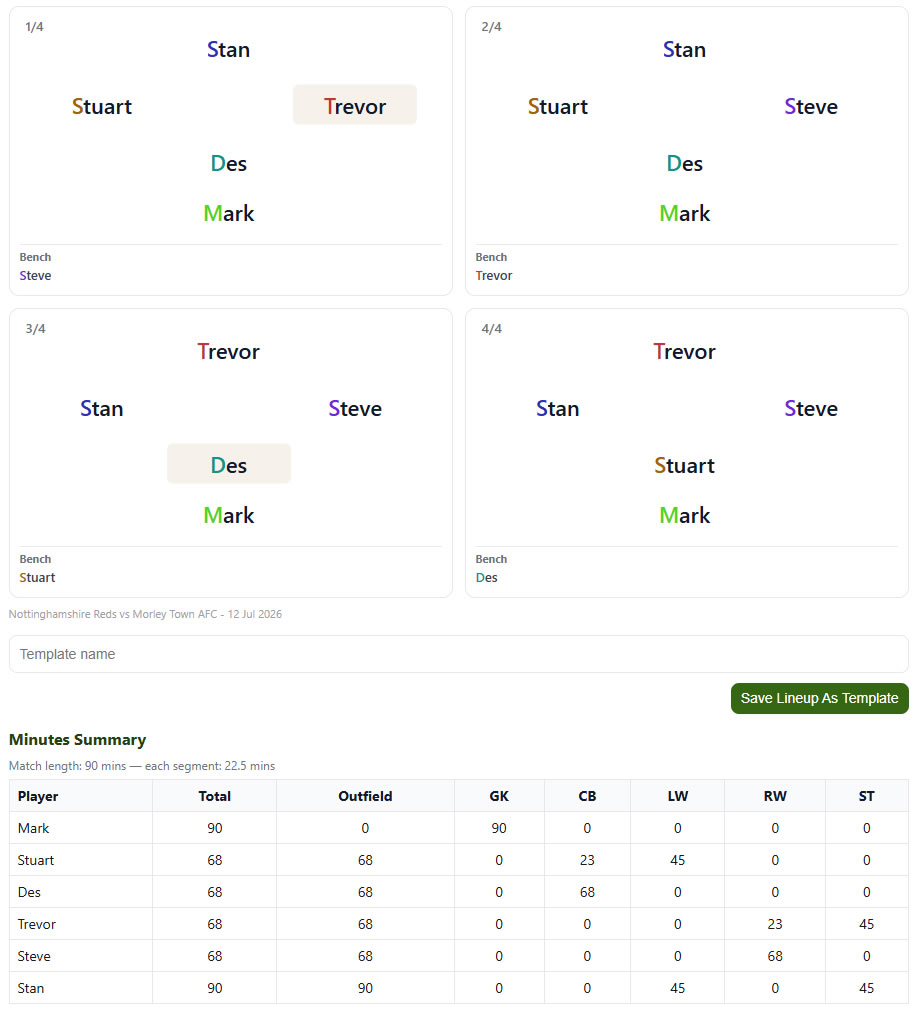
You can also create a lineup ahead of time using the lineup planner tool. This lets you split the game into 4 or 8 sections and select who plays when. The lineup planner will show you how many minutes each player is due to play.
The planned lineup will then show up in the matchday live console, where edits and substitutions can be made during the match. You can also edit this info post-match.
4. Matchday Live - Parents Side!
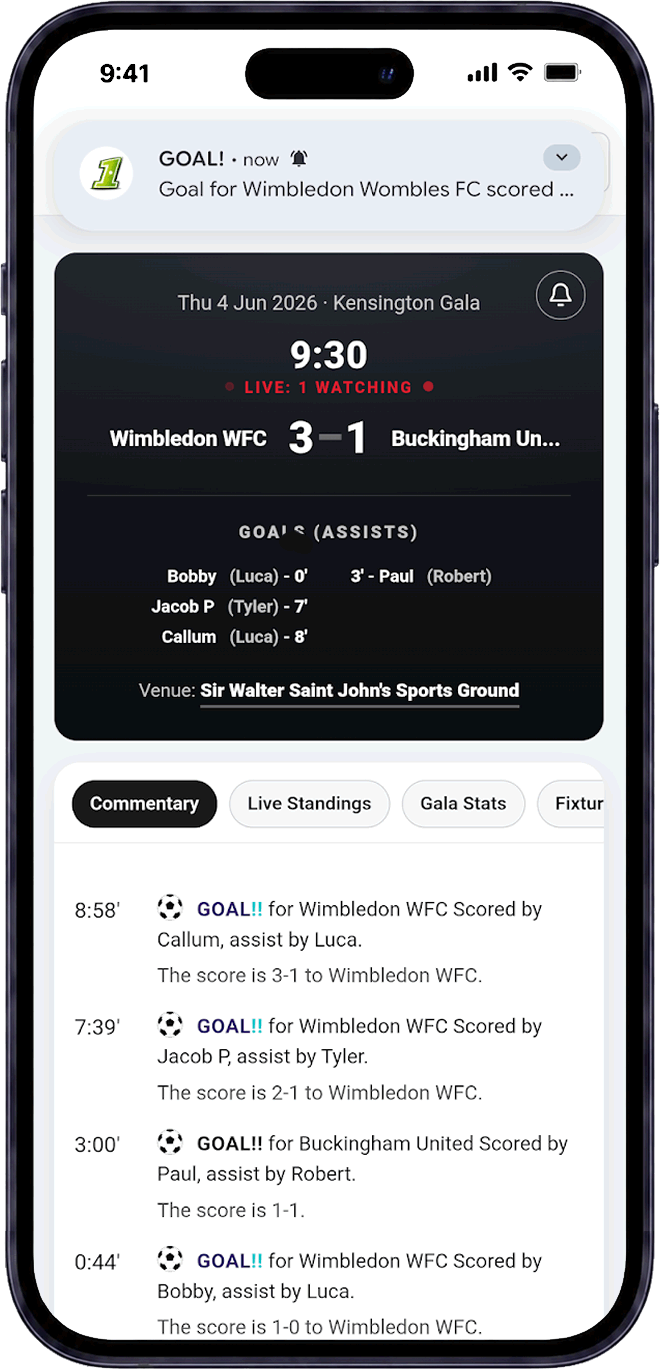
One of the coolest parts of Pitch1 is the live match console from the parents side! Anyone who's not at the game can get live push notifications for matches starting and finishing and goals going in. The matchday console also displays the lineup, substitutions and a chat feature. There's also live league tables and stats, for galas.
Post match, coaches can also add in comments about the match, goal commentary, as well as player of the match for the match reports. If you video your games, you can timestamp goals and those will appear in the match report too. Click here for an example.
5. Goal Mapping
The next feature of Pitch1 that you won't find anywhere else, is goal mapping. Here's one of my players' goals for this season, with the red lines representing the assists for the shots in yellow. Grey dotted lines are a dribble between the pass and the shot.
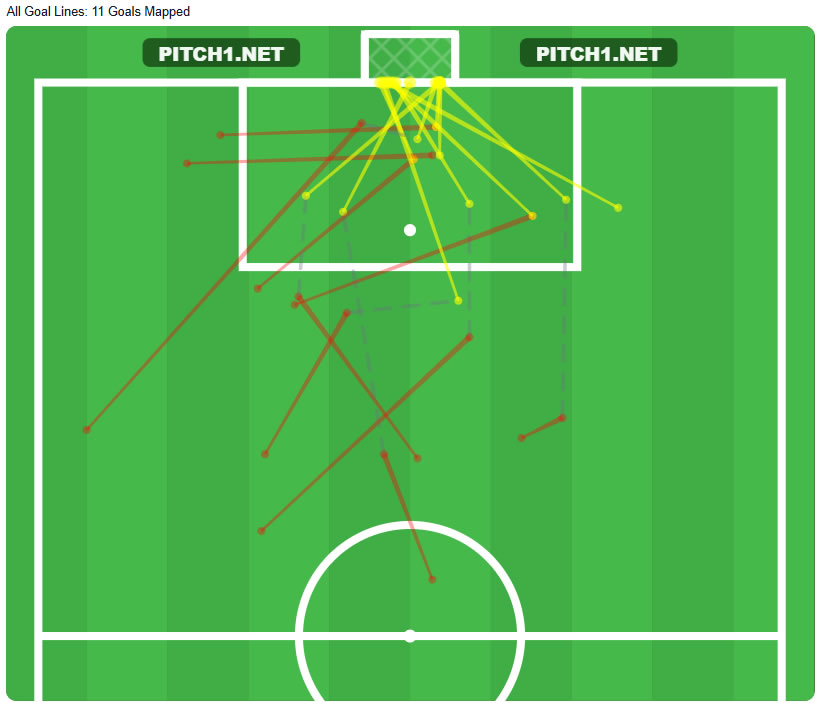
Why bother? First, it's cool and everyone likes it. Secondly, you can analyse not just where your goals come from, but your opponent's too.
We play at 2-3-1 and started the season with our big tackling centre back on the right of the two and the more positional, cultured centre back on the left. I noticed that a very high proportion of our goals conceded were coming from crosses from that right wing corner (38% of goals conceded, where there was an assist, came from that section of the pitch).
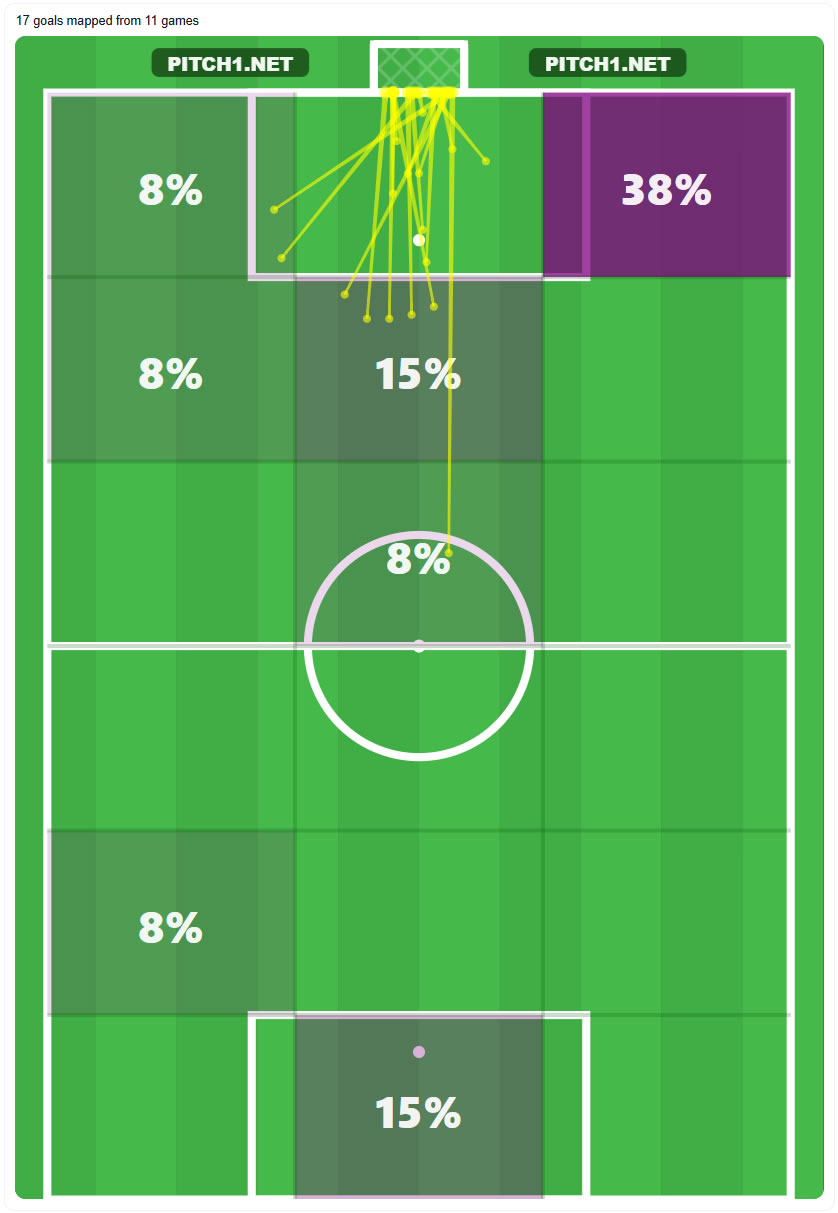
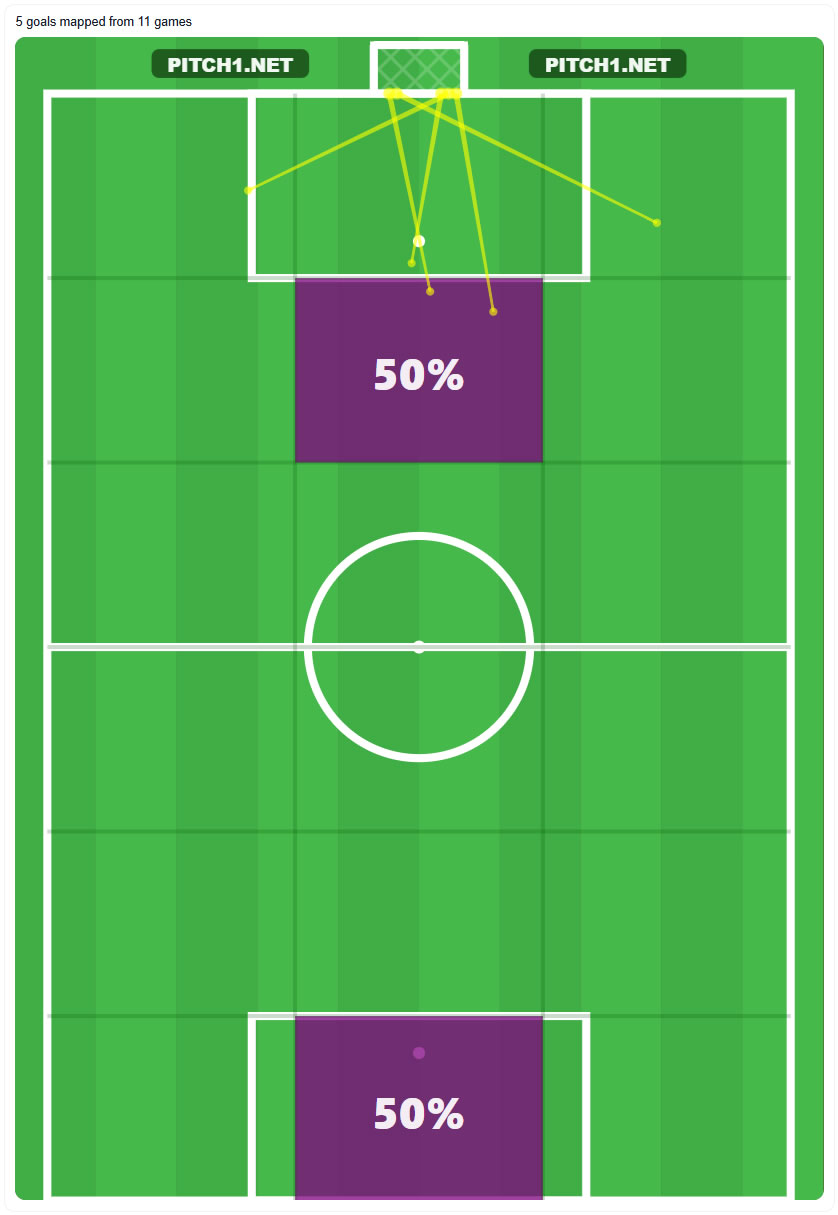
So we tried swapping the centre backs around and putting the big tackler on the left... These were the results. We're yet to concede a goal from that corner of the pitch, when the big tackler is playing left centre back.
6. More, more, more!
That's just a flavour of some of Pitch1's more powerful features. You've also got;
- A free library of training drills, with a training session planner.
- Player and opposition team profile pages.
- Full video analysis and timestamping of incidents, if you record games.
- Gala planner tools, with league tables, stats and more
- Animated tactics boards and training drill boards
And remember - anything you want added to the site, just get in touch and we'll program it in for you for free!